
Devices & data 2 min read
For developers: API and webhooks
डेवलपर के लिए: API और वेबहुक
Connect other apps with API keys, signed webhooks, the REST API and the partner booking API.
API की, साइन किए गए वेबहुक, REST API और पार्टनर बुकिंग API से दूसरे ऐप जोड़ें।
What it does
A REST API for your menu, orders, stock, customers and more, with API keys limited to what they need.
Signed webhooks tell your systems when something happens, with a delivery log.
A Partner Reservations API lets booking apps and websites check free tables and book.
- Who uses it
- DeveloperOwner
- Which plan
- Professional and above
- Where to find it
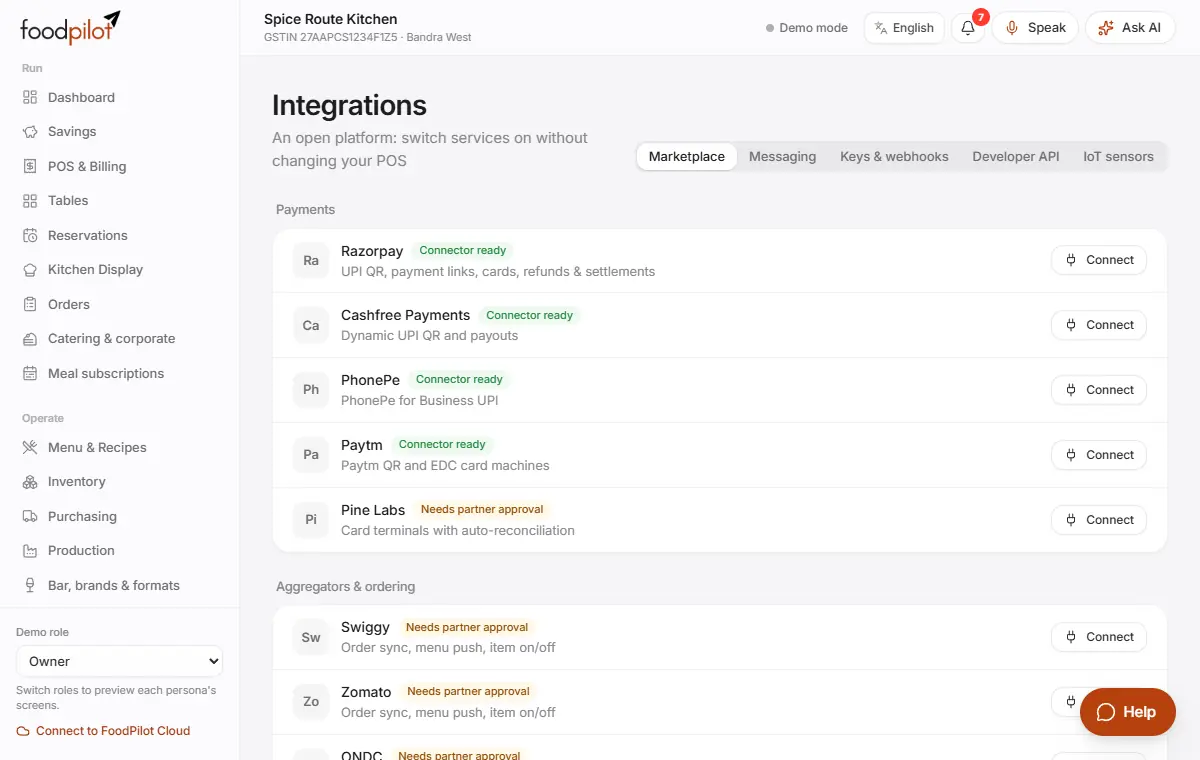
- Sidebar → Integrations and Developers & API
How to
Create an API key
Integrations → Keys & webhooks → New key → Create key
- Step 1: Tap New key and pick the scopes it needs. For a booking partner, choose the booking partner preset.
- Step 2: Tap Create key.
- Step 3: Copy the key now. It's shown only once. Revoke it any time.
Call the API
- Step 1: Base URL:
https://api.foodpilot.org. - Step 2: Send the header
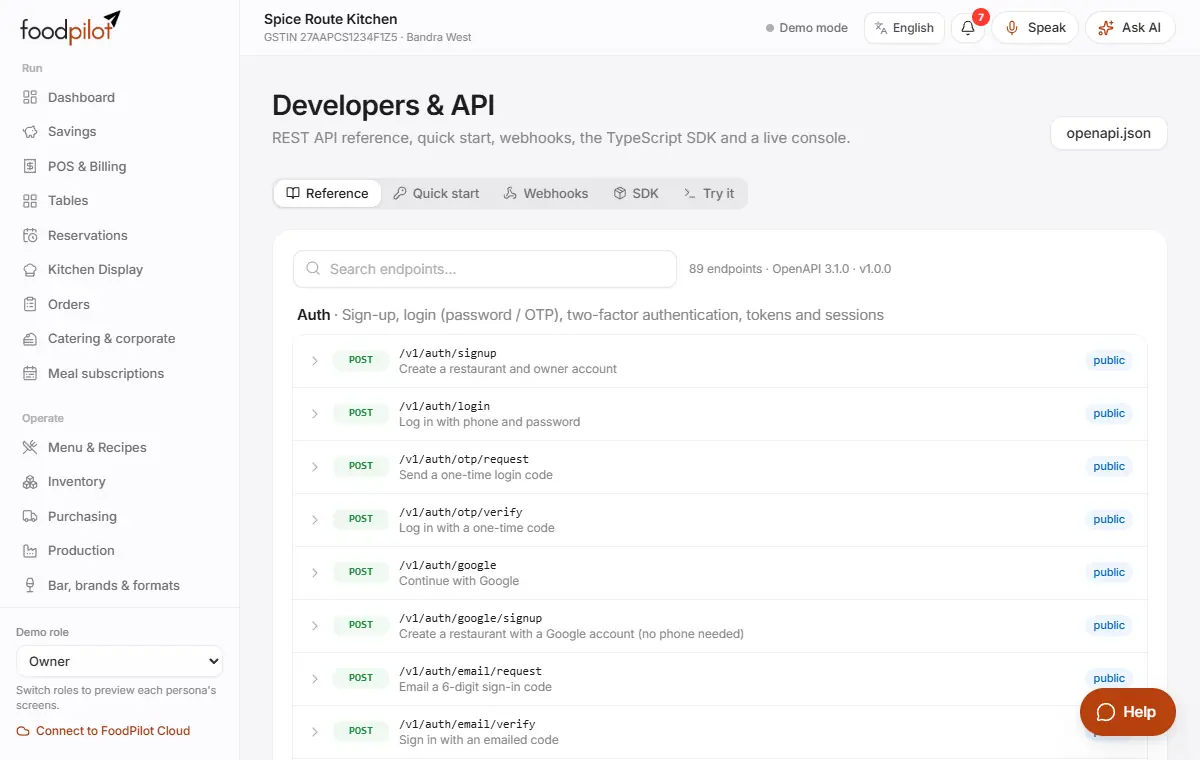
Authorization: Bearer <your key>. Money is in paise. - Step 3: See every endpoint in Developers & API → Reference, try calls in Try it, and use the JavaScript SDK.
Add a webhook
Integrations → Keys & webhooks → Add webhook
- Step 1: Enter your HTTPS endpoint and tap Create webhook. Copy the signing secret: it's shown once.
- Step 2: Each delivery carries the
X-AirOS-Event,X-AirOS-DeliveryandX-AirOS-Signatureheaders. Check the signature before you trust it. - Step 3: See every delivery under Deliveries.
Partner Reservations API
- Step 1:
GET /v1/partner/reservations/availability?date=…&partySize=…lists free times. - Step 2:
POST /v1/partner/reservationsbooks a table. Send anIdempotency-Keyheader so a retry never books twice. - Step 3:
GETorPATCH /v1/partner/reservations/:idreads or changes a booking.POST /v1/partner/reservations/:id/cancelcancels it. - Step 4:
POST /v1/partner/waitlistandGET /v1/partner/waitlist/:idhandle the waitlist. - Step 5: Limits: 120 requests a minute and one outlet per key. A key sees only the bookings it made.
Booking statuses: requested → confirmed → seated → completed, or cancelled / no_show.
Connect Telegram or WhatsApp
Integrations → Messaging
- Step 1: Tap Connect Telegram (or Connect WhatsApp), then scan the QR or tap Open Telegram. The link code works for 15 minutes.
- Step 2: Send text, voice notes or bill photos. Ask with /sales, /stock or /pending.
- Step 3: WhatsApp needs a WhatsApp Business account. WhatsApp e-bills are on Professional and above.
Connect temperature sensors
Integrations → IoT sensors → Register sensor
- Step 1: Add your fridges and freezers first in Food safety & upkeep → Equipment & licences.
- Step 2: Tap Register sensor. The sensor posts readings with an API key that has the
operations:writescope. - Step 3: Readings land in the food-safety logs on every device.
Tips
- Keys and webhooks need FoodPilot Cloud and owner access.
- Errors come back as
{"error": "<code>", "message": "…"}with a normal HTTP status. - A module outside the plan returns 403
feature_not_in_plan; a plan limit returns 402plan_limit.
Common problems
- My key is refused.
- Check the Authorization header, that the key hasn't been revoked, and that it has the scope the call needs.
- A retry made a second booking.
- Send the same Idempotency-Key header when you retry.
- Webhook deliveries fail.
- Use an HTTPS endpoint that answers quickly with a 2xx status, and check Deliveries for the error.
Coming soon
- An agent-ready API and MCP server so AI assistants can read your menu and book